Blog › Guides
Using Jobber or Housecall Pro? How to Add 24/7 AI Call Answering (2026)
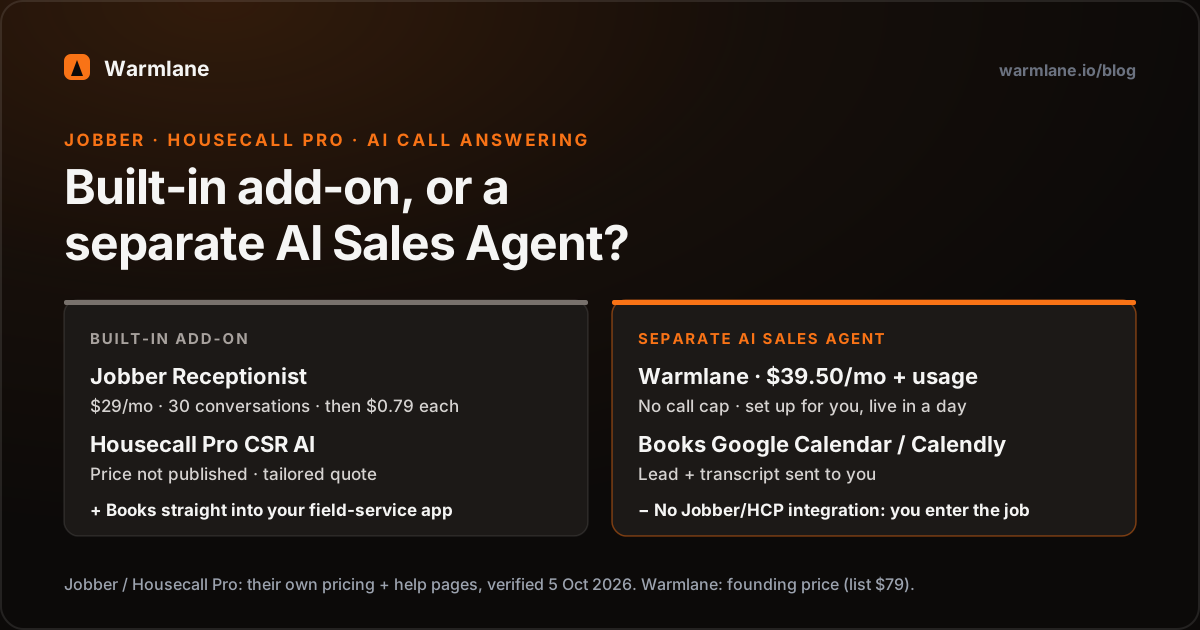
If you run your business on Jobber or Housecall Pro, both now sell their own AI call answering. Jobber Receptionist is a $29/month add-on with 30 conversations, then $0.79 each, and is included with unlimited use on Jobber's Plus plan. Housecall Pro CSR AI answers calls and books jobs into Housecall Pro, but its price is not published - Housecall Pro offers tailored pricing through a demo. Both book straight into your field-service schedule, which is their biggest advantage.
The other route is a separate AI Sales Agent. Warmlane is an AI Sales Agent: it answers every call, then qualifies the caller, handles the price question and books the job, for $39.50/month (founding price, list $79) plus usage at cost, set up for you. To be clear: Warmlane does not integrate with Jobber or Housecall Pro. It books onto Google Calendar or Calendly and sends you the lead and transcript; you enter the job in your app. Here is how to decide.
Your three options
When your phone rings and you're on a job, there are three realistic ways to get it answered by AI if you already use Jobber or Housecall Pro:
- Jobber's own add-on, called Receptionist.
- Housecall Pro's own add-on, called CSR AI.
- A separate AI agent that answers your line and books into Google Calendar or Calendly, such as Warmlane's AI Sales Agent.
The built-in option has one big advantage: the booking lands directly in the software you dispatch from. A separate agent has different advantages - setup done for you, a flat price, and an agent that doesn't depend on which field-service app you use - but you will enter jobs into Jobber or Housecall Pro yourself. Neither choice is wrong. It depends on your call volume, your plan, and how much setup you want to do.
Jobber Receptionist: what it is and what it costs
Jobber describes Receptionist as 24/7 customer service over call and text that can "answer questions about your business, create work requests, and schedule appointments." According to Jobber's feature page, it books visits using the online booking settings you've already set up in Jobber, logs every conversation with a summary, full transcript and call audio, and transfers the call or texts you when it hears keywords you choose, such as "emergency," "no heat" or "burst pipe."
| Jobber Receptionist | What Jobber publishes |
|---|---|
| Add-on price | $29/month |
| Included conversations | 30 per billing cycle |
| Extra conversations | $0.79 each |
| Not counted | Conversations tagged "no conversation" or "spam" |
| Included on | Plus plan, unlimited usage (Plus from $499/month month-to-month, $399/month billed annually, includes 15 users) |
| Requirement | A dedicated phone number in Jobber; you can forward your existing number to it |
Sources, verified 5 October 2026: getjobber.com/pricing ("Jobber AI Sales Agent $29 /mo"; Plus plan prices), Jobber Help Center: Receptionist (30 conversations, $0.79 per additional conversation, unlimited on Plus, dedicated phone number required, admin-only settings), getjobber.com/features/ai-receptionist (features). Jobber's help page says the add-on is available on "select plans"; check which ones apply to you.
What that costs at different volumes (a conversation can be a call or a text):
- 30 conversations: $29.
- 100 conversations: $29 + 70 x $0.79 = $84.30.
- 300 conversations: $29 + 270 x $0.79 = $242.30, unless you're on Plus, where it's included.
Our honest take: if you're a Jobber shop with modest call volume and you're happy to set it up yourself, Receptionist is the natural first thing to try. The booking goes straight into Jobber, the client is created for you, and there's nothing to re-type. Jobber also runs a public demo line on its feature page so you can hear it before you buy.
Housecall Pro CSR AI: what it is and what it costs
Housecall Pro's CSR AI "answers calls and books jobs 24/7." Its feature page says it uses your existing Housecall Pro information - services, business hours, availability - to book jobs onto your Housecall Pro calendar, lets you customize scripts, hours and escalation rules, and can send a caller who asks for a human to a number you choose or to a Housecall Pro Assist rep. Housecall Pro's help center adds that emergency handling is always on. The feature page lists text answering as in alpha / coming soon; calls and website chat are live.
Price: not published. CSR AI is listed as an add-on on Housecall Pro's pricing page, but no price is shown there or in its CSR AI help article; the pricing page invites you to "get a free demo and tailored pricing information for your business." We won't guess at a number. Ask for it in writing, including what happens in a month when calls triple.
Sources, verified 5 October 2026: housecallpro.com/features/ai-team/csr-ai, housecallpro.com/pricing, Housecall Pro Help: CSR AI Overview. Housecall Pro's page also makes revenue claims for CSR AI; we haven't verified them and don't repeat them here.
Same honest take: if you're on Housecall Pro and the quote you get is reasonable, CSR AI's direct booking into your Housecall Pro schedule is a real advantage over anything that sits outside it.
A separate AI Sales Agent: how it works with Jobber or HCP
Warmlane's AI Sales Agent is not a Jobber or Housecall Pro add-on and does not connect to either. It answers your phone line, and the job reaches your field-service app because you put it there. In practice, the workflow looks like this:
- You forward your line - all calls, after-hours only, or only when you don't pick up - to the AI Sales Agent. You keep your number.
- It answers and qualifies. Service-area check, what's wrong, how urgent, homeowner or tenant. It quotes your own prices (service-call fee, after-hours rate, starting prices) and answers common objections with your pre-written replies.
- It books the visit or estimate onto Google Calendar or Calendly and sends the caller a text and email confirmation. For an emergency, it warm-transfers or forwards to your on-call number instead.
- You get notified with the caller's name, number, reason and a text transcript with AI analysis. If a caller hangs up mid-call, the agent calls back and texts them.
- You enter or accept the job in Jobber or Housecall Pro - create the client and the visit, the same way you would after a voicemail, except the details are already written out for you.
For example, a homeowner calls at 9:40 PM about a water heater. The agent checks the address, quotes your after-hours fee, books a 7 AM slot, confirms by text, and you wake up to a notification with the transcript. Over coffee you create the job in Jobber. That last step is the honest cost of using a separate agent: a minute or two of data entry per booking.
Want to hear the agent side of that? Hear a 50-second sample call - a dramatized after-hours trade call with a fictional business and caller.
Hear what a caller would hear.
Call the demo agent like a customer: ask what a service call costs, push back on the price, ask for Thursday morning. Then compare it with Jobber's or Housecall Pro's demo.
+1 (218) 683-631514-day free trial, no card. Founding price $39.50/mo, locked for life for our first 50 customers. Free done-for-you setup.
The calendar question, answered honestly
Many shops ask: "Can't Jobber or Housecall Pro just sync with Google Calendar, so the agent's bookings show up automatically?" We checked both vendors' own help pages. Both syncs run one way - from the field-service app out to Google Calendar, not back in.
- Jobber: "The calendar sync is one-way from Jobber into your calendar app." Jobber also notes it syncs to Google Calendar "roughly every 12 hours." (Jobber Help: Calendar Syncing)
- Housecall Pro: jobs, estimates and events are "pushed to your Google Calendar," and "the integration only works one way," so changes in Google Calendar don't change Housecall Pro. (Housecall Pro Help: Integrate with Google Calendar)
So a booking the AI Sales Agent makes in Google Calendar will not appear in Jobber or Housecall Pro on its own. You enter it. Vendors change these features, so check their current docs before you rely on any sync.
The other direction matters too: avoiding double-booking. The AI Sales Agent checks availability on the Google Calendar it books into. Whether your Jobber or Housecall Pro jobs show up in that same calendar depends on how their sync is set up (Jobber's arrives as a subscribed calendar, roughly every 12 hours), so don't assume the agent can see your crew's schedule. The simple fixes we use during setup:
- Give the agent dedicated windows - for example, estimate slots at 8 AM and 4 PM, or next-morning emergency slots - that your crew keeps free in Jobber or Housecall Pro.
- After-hours only: let the agent book only into the next morning's first slots, which you confirm when you open up.
- No booking at all: have it qualify, quote and capture the lead with a promised callback time, and you schedule it in your app.
Built-in add-on vs separate agent
| Jobber Receptionist | Housecall Pro CSR AI | Warmlane AI Sales Agent | |
|---|---|---|---|
| Price | $29/mo + $0.79 per conversation after 30; included on Plus | Not published | $39.50/mo founding (list $79) + usage at cost |
| ~100 calls/month | $84.30 (not on Plus) | Ask Housecall Pro | $39.50 + ~$15-20 |
| Books into your field-service app | Yes, into Jobber | Yes, into Housecall Pro | No - Google Calendar or Calendly |
| Creates the client record for you | Yes (work request) | Logs customer info with the booking | No - lead + transcript, CSV export |
| Who sets it up | You, from your Jobber settings | You, from your HCP settings | We do, free, live within a day |
| Price quotes and objection answers | From your settings | Customizable scripts | Your prices + your pre-written objection answers |
| Emergency handling | Keyword transfer or text alert | Always on; transfer to your number or Assist rep | Warm transfer or forward to your on-call number |
| Texts | Answers texts too | Text answering in alpha | Sends confirmations; calls back + texts dropped callers |
| Call history | Summary, transcript, call audio | Call log with summaries | Text transcript + AI analysis (no audio recordings) |
| Works if you switch software | Jobber only | Housecall Pro only | Yes - independent of your app |
| Free trial | Check with Jobber | Free trial offered | 14 days, no card |
Jobber and Housecall Pro columns compiled from their official pages linked above, verified 5 October 2026. "Check with Jobber" and "Ask Housecall Pro" mean the detail isn't stated on the pages we read, not that it doesn't exist. Warmlane is the founding price for our first 50 customers, locked for life (list $79), plus your own Twilio and OpenAI usage billed at cost - about 6 cents per call minute, 10-20 cents for a typical call, plus $1-2/month for the number. See pricing.
Which one to choose
You want bookings to land straight in Jobber or Housecall Pro with no re-typing, your settings (services, hours, booking rules) are already well set up, and you're comfortable configuring it yourself. On Jobber Plus, Receptionist is already included - try it first. At low volume on other Jobber plans, $29 for 30 conversations is hard to beat.
You want someone else to write and tune the agent - your prices, your objection answers, your emergency rules. Your volume is high enough that per-conversation pricing adds up, or Housecall Pro's quote doesn't work for you. You want an agent that stays the same if you change field-service software, or you want it to speak one of 29 languages. And you're fine spending a minute per booking entering the job yourself.
Some shops will reasonably run both: the built-in add-on during the day, a separate agent on the after-hours line. That works - just keep their booking windows separate.
How Warmlane's trial works: day 1 you start free with no card; days 1-14 our team sets up the AI Sales Agent and it answers your incoming calls next to your Jobber or Housecall Pro setup; on day 15 you add a card to keep it, or the account pauses - nothing charged, nothing deleted. More on trade calls in our AI Sales Agent guide for plumbers and HVAC and how to answer calls while you're on a job, or see the trades page.
Frequently asked questions
Does Jobber have an AI Sales Agent? +
How much does Housecall Pro CSR AI cost? +
Does Warmlane integrate with Jobber or Housecall Pro? +
If my Jobber calendar syncs with Google Calendar, will AI bookings show up in Jobber? +
Which is cheaper, Jobber Receptionist or a separate AI agent? +
Can I use Jobber Receptionist or CSR AI and an AI Sales Agent together? +
Who sets up the AI agent? +
Try it next to your field-service app.
Start the 14-day trial and we set up the AI Sales Agent on your after-hours or overflow line, usually within a day. Keep running Jobber or Housecall Pro exactly as you do now.
+1 (218) 683-631514-day free trial, no card. Founding price $39.50/mo, locked for life for our first 50 customers. Free done-for-you setup.