Blog › Guides
How to Answer Business Calls While You're on a Job (5 Options, Ranked)
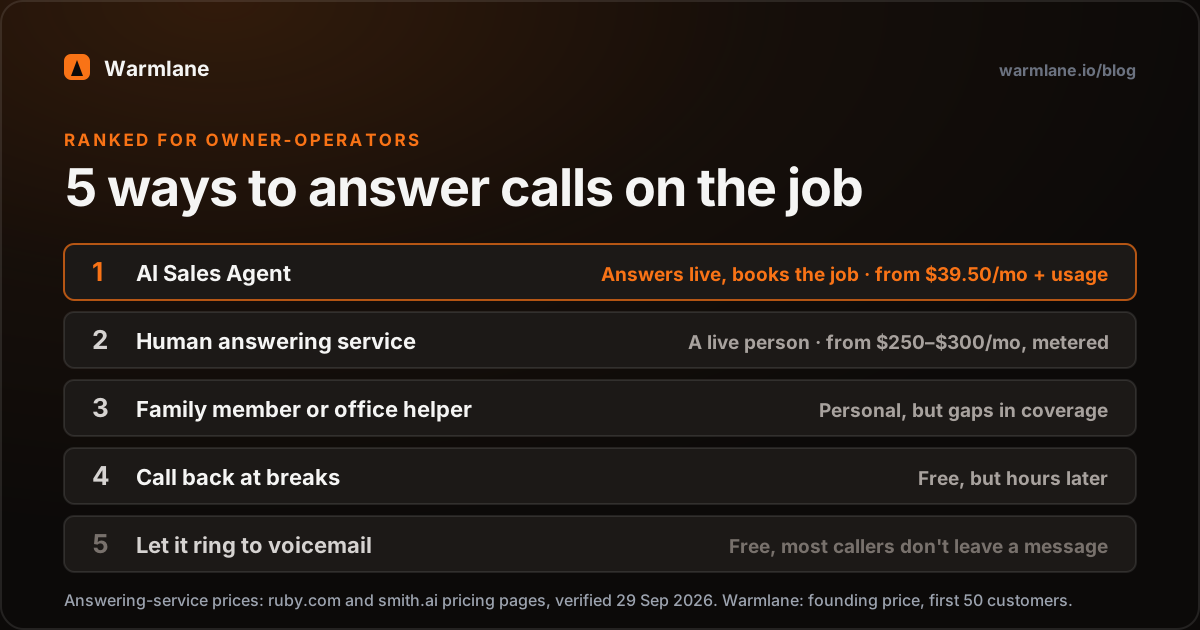
If you work with your hands, you can't answer the phone and do the job at the same time. You have five realistic options: let calls go to voicemail, call back at breaks, have a family member or office helper answer, pay a human answering service, or use an AI Sales Agent that answers and books for you.
For most solo and small-crew contractors, an AI Sales Agent gives the best result per dollar: every call answered live, the job qualified and booked, from $39.50/month plus usage. A human answering service is the better pick if most of your calls need real judgment. Whatever you choose, fix your voicemail greeting, call forwarding and Google hours today; they're free.
Why the phone and the job don't mix
A plumber with both hands under a sink. An HVAC tech in a 130-degree attic. An electrician on a ladder with a live panel open. A roofer two stories up. None of them should be reaching for a phone, and most of the time they can't.
That's not a discipline problem. For an owner-operator, the job and the phone compete for the same pair of hands. Answer, and the work slows down (or gets dangerous). Don't answer, and a new customer may call the next company on Google.
The good news: there are only five real ways to handle it, and you can work out which fits you in about ten minutes.
The 5 options at a glance
We ranked them on what matters to a small trade business: does the caller get a useful answer right away, does the job get booked, what does it cost, and how much of your time does it take. The ranking assumes a solo owner or small crew without a full-time office; if you have a great full-time office manager, that person probably beats everything on this list.
| Rank | Option | Monthly cost | Your effort | Caller gets | Books the job? |
|---|---|---|---|---|---|
| 1 | AI Sales Agent | $39.50 founding + ~$15–20 usage at 100 calls | Low | A live answer, 24/7 | Yes, on the call |
| 2 | Human answering service | From $250–$300, metered | Low | A live person | Often, depends on plan |
| 3 | Family member / office helper | Their time or wages | Medium | A person, when free | If they have your calendar |
| 4 | Call back at breaks | $0 | High | A callback, hours later | Only if they wait |
| 5 | Let it ring / voicemail | $0 | Low (until callback) | A beep | No |
Our own ranking. Answering-service figures from ruby.com/pricing ($250/month for 50 minutes) and smith.ai/pricing (Starter $300/month for 30 calls, then $11.50 per call), both verified 29 September 2026. Warmlane: founding price for our first 50 customers, locked for life (list $79), plus your own Twilio and OpenAI usage at cost; see warmlane.io/pricing.
#5 Let it ring to voicemail
Cost: free. Effort: low now, high later.
This is where most owners start. It costs nothing and doesn't interrupt the job. The problem is what happens on the other end: most callers who reach voicemail don't leave a message. Every credible source agrees on that direction, though the exact percentages floating around the internet don't hold up; we went through them in AI Sales Agent vs voicemail.
Voicemail is fine for existing customers who know you'll call back. It's weakest for new customers with an urgent problem, because they have no reason to wait.
Make it better: record a short greeting that tells callers when you'll call back and offers a way to text you (see the quick wins below).
#4 Call back at breaks
Cost: free. Effort: high.
The "I'll get back to them at lunch" approach. It works when callers are patient: quote requests, maintenance, planned remodels. It falls apart in three ways:
- Timing. By the time you're on a break, an urgent caller has usually booked someone else.
- Phone tag. You call back, they're at work, you leave a voicemail, they call back while you're in a crawl space.
- Your breaks disappear. Lunch becomes a sales shift, and the evening becomes the admin shift.
If you do this, return calls in order of newest first (fresh leads are warmest) and keep your calendar open on your phone so you can book on the spot.
#3 A family member or office helper
Cost: their time, or a part-time wage. Effort: medium.
A spouse, parent, or part-time helper answering the business line is how a lot of trade businesses run, and a good one is hard to beat: they know the regulars, they sound human because they are, and they can use judgment.
The limits are practical. They have their own jobs and lives, so coverage has gaps (school runs, their own work, 9 PM). They can only take one call at a time. And it's easy for "just answer the phone" to grow into an unpaid second job that causes friction at home.
Make it work: write a one-page cheat sheet (your service area, your call-out fee, what you don't do, what counts as urgent) and share your calendar so they can book rather than take messages.
#2 A human answering service
Cost: from roughly $250 to $300 a month at the entry tier, metered. Effort: low.
Live receptionists answer in your business name. As of 29 September 2026, Ruby starts at $250 a month for 50 minutes and Smith.ai's human receptionist Starter plan is $300 a month for 30 calls, then $11.50 per extra call (sources in the table above). They're good at calls that need human judgment, and they can often book appointments depending on your plan and setup.
The catch for trades is metering. Your busiest weeks (the first heat wave, the first hard freeze) are the weeks you'd pay the most, and entry plans can run out fast. Some plans focus on taking messages rather than quoting your prices, so check what is included. Ask any service: "What's my bill in a month with three times my normal calls?" There's a full breakdown in AI Sales Agent vs answering service.
Ring it like your next customer would.
This is our live demo agent. Ask about your area, ask what a service call costs, push back on the price, ask for Thursday morning. Then decide if it could cover you while you're on a ladder.
+1 (218) 683-631514-day free trial, no card. Founding price $39.50/mo, locked for life for our first 50 customers. Free done-for-you setup.
#1 An AI Sales Agent
Cost: $39.50/month founding price plus usage at cost. Effort: low once set up.
Warmlane is an AI Sales Agent: it answers every call, then qualifies the caller, handles the price question and books the job. Here's what it does while you're under that sink:
- Answers every call live, 24/7, in your business name.
- Asks what the job is, checks the address is in your service area, and flags anything you've marked urgent.
- Quotes your own prices (your call-out fee, your price ranges) and answers common objections with answers you wrote in advance.
- Books the job onto your Google Calendar or Calendly and sends the customer a text and email confirmation.
- Notifies you with the caller's name, number, reason, and a text transcript.
- Warm-transfers or forwards a call to you when you want it to, and calls back and texts any missed or dropped callers.
It speaks 29 languages (one per agent), and our team sets it up for you free, usually live within a day. Hear a 50-second sample call (a dramatized late-night plumbing call) or read more on the HVAC and plumbing page.
Price: $39.50/month for our first 50 founding customers, locked for life (half the $79 list price). You also pay your own Twilio and OpenAI usage at cost: about 6¢ per call minute (a typical call is 10–20¢) plus about $1–2 a month for the number, roughly $15–20 a month at 100 calls. No minute cap, no per-call fee from us.
How the trial works: Day 1, start free with no card. Days 1 to 14, we build your agent and it answers your calls for real. Day 15, add a card to keep going, or the account pauses; nothing is charged and nothing is deleted.
Why it ranks first for most owner-operators: it's the only option on this list that answers every call live, at any hour, and books the job, for less than one entry-level answering-service plan. Want to check the maths for your business? Use the missed call cost calculator.
Free quick wins for this week
Whatever you pick, these cost nothing and take under an hour.
1. Rewrite your voicemail greeting
Give callers a reason to leave a message and a time frame. For example: "You've reached Mike's Electric. I'm on a job right now. Leave your name, address and what you need, and I'll call back within two hours. If it's sparking or smoking, hang up and call 911." Short, specific, and it sets expectations.
2. Set up business-hours call forwarding
Most US carriers and business phone apps support conditional call forwarding: forward when busy, forward when unanswered, or forward on a schedule. A common setup is to ring your cell for a few rings during the day, then forward unanswered calls to whoever (or whatever) covers you. The codes and settings vary by carrier, so check your carrier's help page. If you use Warmlane, you keep your number and forward it to the agent.
3. Fix your Google Business Profile hours
Your Google Business Profile hours tell callers when to expect an answer. Make sure they're accurate, add holiday hours, and only show "Open 24 hours" if someone (or something) actually answers at 2 AM. Where your category allows it, add a booking link so some customers book without calling at all.
4. Turn on missed-call text-back
If your phone system offers it, an automatic "sorry we missed you" text is better than silence. It doesn't book anything by itself; we compare it fairly in missed-call text-back vs AI Sales Agent.
5. Never answer where it isn't safe
On a ladder, on a roof, or at a live panel, let it ring. No job is worth a fall. That's the whole point of having a system.
What humans still do better (and when Warmlane isn't right)
- Real emergencies. Warmlane isn't an emergency service. If most of your calls are genuine emergencies needing judgment (for example, a 24-hour restoration business), a trained human on-call service is the safer choice.
- Regulars who want you. Long-time customers may prefer to talk to you or your helper. Warm transfer helps, but a familiar voice is something AI can't replace.
- Payments. Warmlane doesn't take payments or deposits on the call.
- Field-service software. Warmlane books onto Google Calendar or Calendly and exports leads as CSV; it doesn't write jobs into Jobber, Housecall Pro or ServiceTitan. If those must be filled in automatically, factor in the manual step.
- Very few missed calls. If you rarely miss calls, voicemail plus a good callback habit is enough. Don't buy anything you don't need, including from us.
Count last month's missed calls from new customers. If it's a handful, fix your voicemail and forwarding and stop there. If it's more than a few a week and you can't hire, start the free trial of an AI Sales Agent. If most of those calls are true emergencies, look at a human answering service instead.
Frequently asked questions
How do I answer business calls while I'm working on a job? +
What is the cheapest way to stop missing calls on the job site? +
How much does a human answering service cost for a contractor? +
Can an AI answer my calls and book jobs while I'm working? +
Do I need a new phone number? +
Should I answer my phone on a ladder or roof? +
What happens after the free trial? +
Keep working. Let the AI Sales Agent answer.
We build it for you, free, usually live within a day. Try it on your own calls for 14 days.
+1 (218) 683-631514-day free trial, no card. Founding price $39.50/mo, locked for life for our first 50 customers. Free done-for-you setup.